Download the Product Catalog
Please enter your real email address, and we will send the electronic catalog to your inbox shortly.
Custom cosmetic packaging for beauty brands — request your quote today.

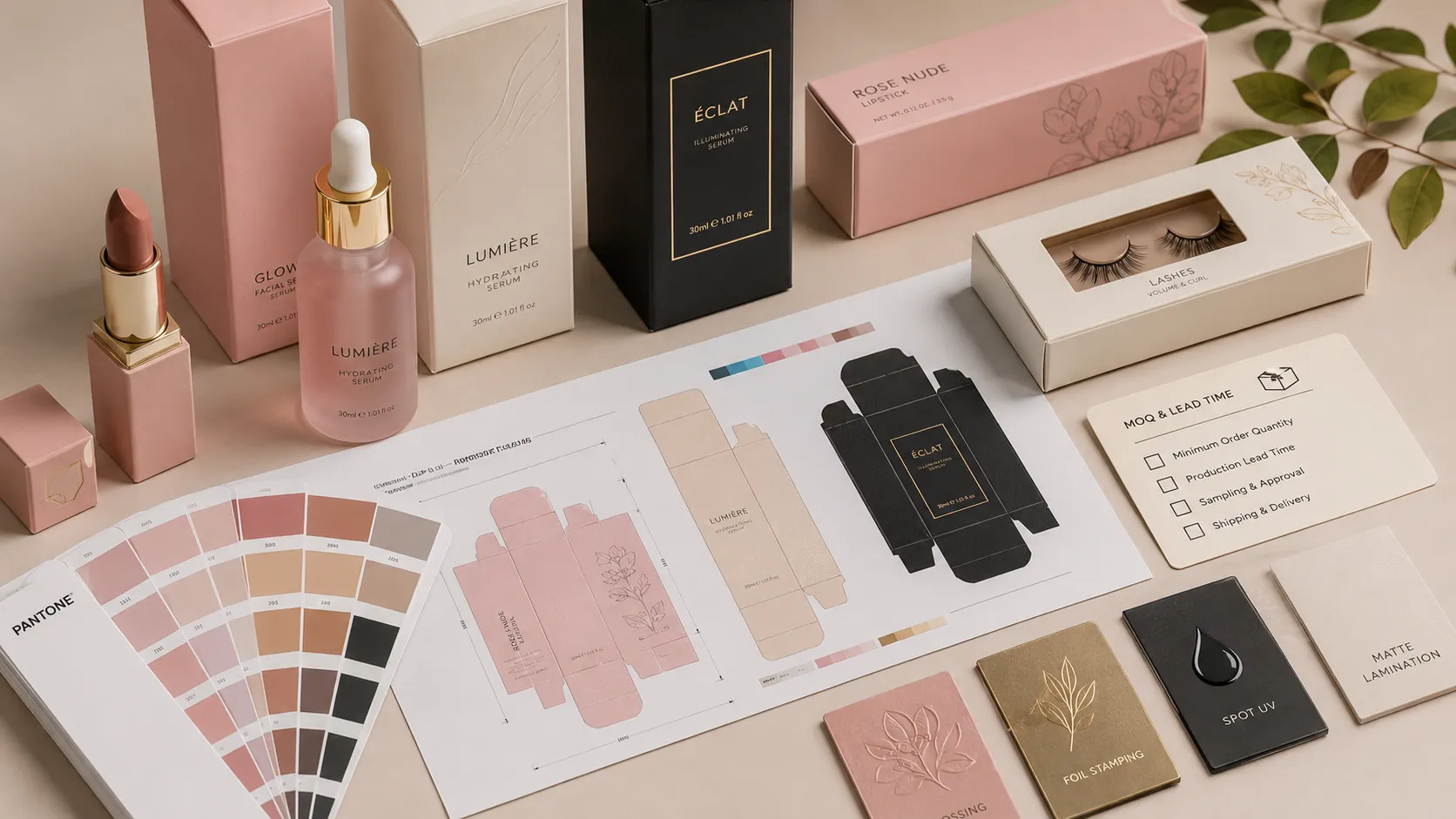
Cosmetic packaging color approval starts with a physical sample. A color that looks right on a phone or PDF can look different on a finished cosmetic box. Paper shade, printing, coatings, texture and metallic foil all affect the result. Review a sample made with the intended materials and the product the box will hold before production.
An anonymized skincare-brand inquiry described a rigid presentation box for one cream jar. The preferred direction paired a warm ivory exterior with a deeper interior color and a muted gold logo. Because the jar had angled facets, the final box dimensions and insert also needed to be checked with the actual finished container.
That brief shows why color approval and structural approval can belong to the same sample review. A color may feel right on a flat panel, yet the complete box can look different once the lid, interior, insert and product are assembled.
List the exterior panels, inside wrap, insert, edges and any printed or foil-stamped logo. Decide whether each area should match, contrast or remain unprinted. This prevents a review from focusing only on the lid while overlooking the interior or the parts visible when the box is opened.
Share the brand’s approved physical sample or a specific color reference, such as a Pantone number, when available. Include the reference system and the coated or uncoated version where relevant. A screen capture can communicate direction, but monitor brightness and display settings make it a weak production standard by itself. For cosmetic packaging color approval, a physical reference gives the team something tangible to compare with the printed sample. Pantone explains how buyers can request a physical color sample through Pantone Connect.
For process-color artwork, review a printed proof on the intended paper. Do not assume that a CMYK value on a screen will reproduce the same appearance on every stock.
The same ink can appear different on bright white, warm ivory or textured paper. Matte lamination, soft-touch coating and other surface treatments may also change perceived depth or saturation. Confirm the actual paper shade, surface and finish on the sample rather than approving these choices separately from the color.
Gold foil is reflective, so it will not look like a flat printed gold on a screen. Review the foil color, sheen, coverage and placement on the actual paper. Check the logo under more than one viewing angle and make sure nearby printed colors still have enough contrast.
View the sample under a consistent neutral light, then check it under the lighting where customers are likely to see the package if that can be anticipated. Two colors can appear closer under one light and farther apart under another. Avoid judging color only under a warm desk lamp or a phone camera.
Place the finished jar in the sample insert. Review the exterior and interior together, then check that the product sits securely and can be removed as intended. The real container can change how the package colors feel as a complete presentation, and its shape affects the insert and final internal dimensions.
Keep one approval record with the artwork version, paper, finish, foil reference, sample date and approver. Identify the physical sample that will serve as the agreed reference. If the artwork, paper batch, finish or foil changes, ask whether another sample review is needed before production.
| Check | What to compare |
|---|---|
| Exterior color | Physical color reference against the printed paper |
| Interior color | Inside wrap and insert against the approved direction |
| Paper and texture | Actual stock shade, grain and surface |
| Logo finish | Foil tone, shine, coverage and placement |
| Lighting | Appearance under consistent neutral light and a relevant second setting |
| Product fit | Finished jar, insert, lid clearance and opening experience |
| Approval record | Artwork revision, material, finish, sample and approver |
A digital proof is useful for reviewing copy, layout, artwork position and general color direction. It cannot fully show how a particular paper, coating or metallic foil will look in person. Use it to catch artwork issues early, then use a physical sample to approve material appearance and fit.
Color variation can still depend on the agreed materials and production process. Set any acceptable tolerance with the packaging supplier before production and keep the approved sample as the shared reference. No screen preview or single color value can guarantee an identical appearance across every material and viewing condition.
Usually not. A screenshot can communicate a starting direction, but displays vary. Use a physical color reference and review a printed sample on the intended paper and finish.
A PDF can show where the foil is intended to go, but it cannot reproduce its reflection. Review the selected foil on the actual paper sample and check the result from more than one angle.
If the container affects the insert, internal dimensions or presentation, use the actual finished product for the sample review. For a faceted or unusually shaped jar, this helps check both fit and the complete color composition.
Share your preferred color reference, paper direction, finish, logo treatment and product dimensions when requesting a sample. Read our guide to reducing color differences between samples and mass production for production-side controls, or explore custom cosmetic packaging options.